How does a camera take a picture?
Light bounces off things, a lens bends it into a picture, and a sensor turns that picture into millions of colored dots.
The big idea: A lens bends light so it makes a sharp picture on a sensor. The sensor measures how much light lands on each of its tiny squares, and those measurements become the pixels of your photo.
It's like
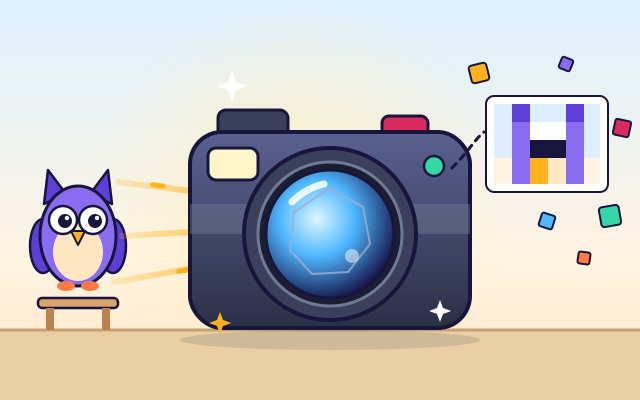
The interactive parts didn't load. The explanations below still work; try reloading the page.
The journey of light into a photo
- Every photo starts with light. Sunlight hits the owl and bounces off in all directions. A little of that light travels straight into the camera.
- The lens is curved glass. It bends the light rays so that all the light from one spot on the owl meets again at one spot inside the camera. Look, the picture is upside down!
- If the light meets too early or too late, the picture is blurry. Focusing slides the lens until the light meets right on the sensor. Sharp!
- When you press the button, the shutter opens for a tiny moment, often less than a hundredth of a second. The aperture, a ring of blades, sets how wide the hole is.
- The sensor is covered in millions of tiny light catchers. Each one sits under a red, green or blue filter and counts how much light falls on it.
- The camera's computer turns each measurement into a number and saves them all. Zoom into any photo and you'll find it's made of tiny squares called pixels.
Inside a digital camera
Tap each part of the camera. Watch it move when you find it!
- Lens. The lens is made of several pieces of curved glass. Together they bend light so it makes a sharp picture on the sensor. A motor slides some of the glass to focus.
- Aperture. The aperture is a ring of thin blades that slide to make the hole bigger or smaller. A bigger hole lets in more light, just like the pupil in your eye.
- Shutter. The shutter is a little curtain in front of the sensor. It opens for just a moment to let light in, then closes again.
- Image sensor. The sensor is a chip covered with millions of tiny light catchers. Each one measures how much light reaches it.
- Processor. The processor is a small computer. It reads the numbers from the sensor, fixes the colors and puts the picture the right way up.
- Memory card. Photos are saved on a memory card as long lists of numbers. You can take the card out to copy the photos to a computer.
- Screen. The screen shows what the sensor sees, so you can aim the camera, check the focus and look at your photos.
- Shutter button. Press the button halfway and the camera focuses. Press it all the way and it takes the photo.
- Flash. When there isn't enough light, the flash gives a quick, bright burst so the sensor gets enough light for a clear picture.
Focus, light and pixels
Slide the focus and watch the light rays and the camera screen. Change the light. Take a photo, then zoom in to see what it's made of.
Experiment: What happens to the picture when the lens is too close to or too far from the sensor?
- Slide the focus all the way to one end. Look at the rays and the screen.
- Slide it slowly until the owl looks sharp.
- Take a photo and zoom in as far as you can.
What we found: The light from each spot on the owl meets at one point. When that point is right on the sensor, the picture is sharp. Move the lens away and the light spreads into a fuzzy blob, so the picture gets blurry. And every photo is made of tiny squares called pixels.
Turn on JavaScript to try it yourself.
Photo club: three perfect pictures
Take a sharp, bright-enough photo of each toy. Each one is at a different distance and in different light.
Lenses, light and pixels
You can only see things because light bounces off them and into your eyes. A camera works the same way. Light from the sun or a lamp hits an object, bounces off in every direction, and a little of it goes into the camera.
The lens at the front is made of curved glass. Light slows down when it goes into glass, and that makes it bend. A lens is shaped so that all the light from one spot on the object meets again at one spot inside the camera. The picture it makes is upside down, just like the picture on the back of your eye! The camera's computer turns it the right way up.
To get a sharp picture, the light has to meet exactly on the sensor. That's what focusing does: it slides the lens a tiny bit in or out. Things that are close need the lens farther from the sensor than things that are far away.
The sensor is covered in millions of tiny light catchers. Each one sits under a red, green or blue filter and measures how much light it gets. The camera turns each measurement into numbers, and each set of numbers becomes one pixel, a tiny colored square. Your photo is a giant grid of them.
Key words
- Lens
- Curved glass that bends light to make a picture.
- Focus
- Moving the lens until the picture on the sensor is sharp.
- Aperture
- The adjustable hole that lets light into the camera.
- Shutter speed
- How long the shutter stays open, for example 1/125 of a second.
- Sensor
- The chip that catches light and measures it.
- Pixel
- One tiny colored square in a digital picture.
Check your thinking
-
Where does the light in a photo come from?
Show the answer
Light bounces off things into the camera. Light from the sun or a lamp bounces off objects and some of it enters the lens.
-
What does focusing do?
Show the answer
It moves the lens so the light meets right on the sensor. When the light from each spot meets exactly on the sensor, every spot looks sharp.
-
A 50 mm lens focuses on a subject 1 m away. What happens to the image distance v when the subject moves closer?
Show the answer
v gets larger, so the lens must move away from the sensor. From 1/v = 1/f − 1/u, a smaller u makes 1/v smaller, so v grows. Close-up photos need the lens farther out.
-
What is a pixel?
Show the answer
One tiny colored square in a picture. Zoom far into any digital photo and you'll see it's made of tiny squares.
-
What does the image sensor do?
Show the answer
It measures how much light lands on each tiny spot. Each light catcher measures the light, and those measurements become pixels.
-
Why is the picture inside the camera upside down?
Show the answer
Light rays cross over as they go through the lens. Light from the top of the owl goes down through the lens and lands at the bottom, and the other way around.
You're a Computers & communication expert!
You watched, looked inside, tried it, solved the challenge and went deeper. Pick another question below, or switch the age at the top to see this topic another way.
More about computers & communication
 #50
Computers & communication
How does a touchscreen know where you touched?
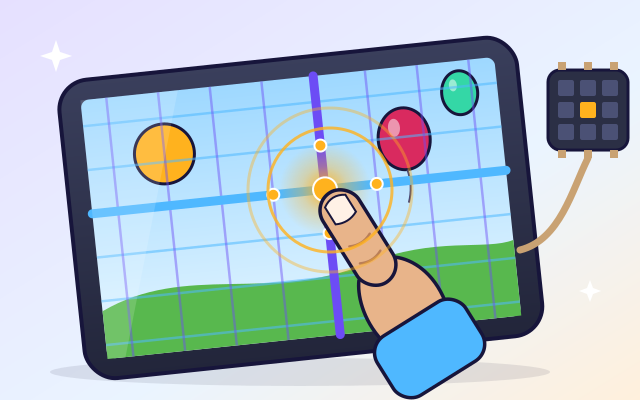
Tap a transparent screen and watch a simplified sensor grid detect the location. Follow that information into a button press, swipe, or drawing.
#50
Computers & communication
How does a touchscreen know where you touched?
Tap a transparent screen and watch a simplified sensor grid detect the location. Follow that information into a button press, swipe, or drawing.
 #51
Computers & communication
How does the internet send a message?
Break a message into packets, route them through a network, and reassemble them. Help packets find another route around a broken connection.
#51
Computers & communication
How does the internet send a message?
Break a message into packets, route them through a network, and reassemble them. Help packets find another route around a broken connection.
 #52
Computers & communication
How do robots work?
Give a robot sensors, motors, and instructions. Help it navigate a maze, avoid obstacles, or sort objects, then improve its behavior.
#52
Computers & communication
How do robots work?
Give a robot sensors, motors, and instructions. Help it navigate a maze, avoid obstacles, or sort objects, then improve its behavior.
 #53
Computers & communication
How do video games work?
Explore input, game rules, animation, collision detection, and scoring. Change gravity or movement speed in a tiny game and play the result.
#53
Computers & communication
How do video games work?
Explore input, game rules, animation, collision detection, and scoring. Change gravity or movement speed in a tiny game and play the result.
Keep exploring
Games to play next
- Pixel StudioMake pixel art square by square, with mirror tools and a frame strip.
- Robot RoutesSnap together arrow, repeat and dance blocks to guide Bolt the robot home.
- Bug DetectiveA robot program almost works. Run it, spot the buggy block, and fix it.
Guide for grown-ups
- How to start homeschooling: a step-by-step guide for familiesA guide for parents · 7 min read
Coding games by grade
Computer skills worksheets by grade
- Preschool Computer Skills Worksheets
- Pre-K Computer Skills Worksheets
- Kindergarten Computer Skills Worksheets
- 1st Grade Computer Skills Worksheets
- 2nd Grade Computer Skills Worksheets
- 3rd Grade Computer Skills Worksheets
- 4th Grade Computer Skills Worksheets
- 5th Grade Computer Skills Worksheets
- 6th Grade Computer Skills Worksheets
- 7th Grade Computer Skills Worksheets
- 8th Grade Computer Skills Worksheets