How does a video call work?
A camera and a microphone turn you into numbers, the numbers race across the internet, and another device turns them back into you.
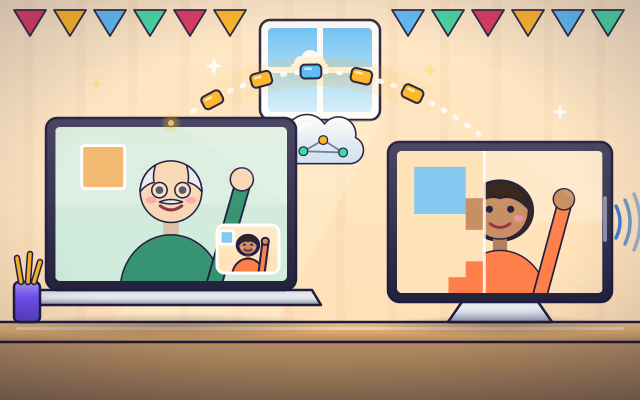
The big idea: Your device takes many pictures a second, squeezes them small, cuts them into packets and sends them over the internet. The other device puts them back together right away.
It's like mailing a flip book one page at a time, many pages a second. Your friend flips the pages as they land and sees you move.
The interactive parts didn't load. The explanations below still work; try reloading the page.
From your camera to their screen
- Mia waves at her laptop, and Grandpa, in a town far away, sees it almost at once. Her wave cannot fly through the air. So what really travels?
- The camera takes about thirty pictures every second. Each picture is a grid of tiny colored squares called pixels. The microphone measures the sound of Mia's voice.
- Sending every pixel of every picture would be far too much. So the laptop squeezes it: it mostly sends only the parts that changed, like the waving hand.
- The squeezed picture and sound are cut into small parcels called packets. Each one gets an address and a number, then hops from router to router across the internet.
- Grandpa's tablet catches the packets, puts them in order and un-squeezes them. The screen shows the picture, and the speaker plays the sound.
- At the same moment, Grandpa's tablet sends his picture and voice back the same way. It all happens many times a second, so the call feels live.
Look inside a video call
Tap each part of the call, from Mia's camera to Grandpa's speaker.
- Camera. The camera has a small lens and a sensor behind it. The sensor measures light and makes a picture out of tiny squares called pixels, about thirty times a second.
- Microphone. Sound makes a thin sheet inside the microphone wobble. The microphone turns each wobble into an electric signal, and the laptop measures it again and again.
- Encoder. The encoder squeezes the pictures and sound. It looks for what stayed the same since the last picture, like the wall behind Mia, and sends only what changed.
- The internet. The data travels in small packets. Routers, like post offices, read each packet's address and pass it one step closer to Grandpa.
- Decoder. The decoder does the encoder's job backward. It puts the packets in order and rebuilds each full picture from the changes it was sent.
- Screen. The screen is a grid of tiny lights. The tablet sets the color of each one to match the picture, and changes them all many times a second.
- Speaker. The speaker turns the sound numbers back into wobbles. A small cone pushes the air back and forth, and Grandpa hears Mia's voice.
Fast link, slow link
Tap Mia to wave. Change the connection speed, the picture quality and the pictures per second. When does Grandpa's picture stay smooth, and when does it freeze?
Experiment: The connection gets slow, but the laptop keeps sending a big, sharp picture. What will Grandpa see?
- Set the picture to Sharp and tap Mia to wave.
- Slide the connection all the way to fast. Watch Grandpa's screen.
- Now slide it to slow. What changes?
- Pick a smaller picture and see if the wave gets through.
What we found: A sharp, smooth picture needs lots of data every second. When the connection cannot carry that much, pictures arrive late or not at all, so the video freezes and jumps. A smaller picture needs less data, so it fits through a slow connection.
Turn on JavaScript to try it yourself.
The best call that fits
This connection carries 1.5 megabits a second. Choose the sharpest, smoothest picture that still fits, then press Call.
How your face crosses the world
A video call starts with two measuring tools. The camera measures light: it takes about thirty pictures every second, and each picture is a grid of tiny colored squares called pixels. The microphone measures sound: it checks the loudness of the air's wobbles thousands of times a second. Both turn what they measure into numbers, because numbers are what computers can send.
There are far too many numbers to send them all. So a program called a codec squeezes them. It notices that most of the picture, like the wall behind you, did not change since the last picture, and it sends only the parts that did. That is why a call looks blocky for a moment when you move the camera quickly: suddenly everything changed at once.
The squeezed data is cut into small parcels called packets. Each packet carries an address and a number. Routers pass the packets along, like post offices passing letters, until they reach the other device. That device puts the packets in order, un-squeezes them, lights the pixels on its screen and plays the sound.
All of this happens in both directions at once, in about the time it takes to blink. If the connection is slow, the app sends smaller or fewer pictures so the call can keep going. The flip-book idea only goes so far: a call does not send whole pages, mostly just what changed on each page.
Key words
- Pixel
- One tiny colored square in a picture or on a screen.
- Frame
- One still picture in a video. Showing many frames each second looks like motion.
- Codec
- A program that squeezes video and sound small, and un-squeezes them at the other end.
- Packet
- A small parcel of data with an address and a number, sent across a network on its own.
- Bitrate
- How much data a call sends each second.
- Latency
- The short wait between doing something and the other person seeing it.
Check your thinking
-
What does a camera turn your face into?
Show the answer
A grid of tiny colored squares, stored as numbers. A picture is made of pixels, and each pixel's color is stored as numbers.
-
Mia sits still and only waves her hand. What does the encoder mostly send?
Show the answer
Only the parts that changed, like the hand. Sending only what changed makes the data much smaller.
-
Why is the data cut into packets?
Show the answer
Small parcels can each find their way and be put back in order. Each packet has an address and a number, so routers can pass it along and the tablet can rebuild the picture.
-
The connection is slow and the picture keeps freezing. What should the app do?
Show the answer
Send a smaller picture or fewer pictures each second. Less data each second fits through a slow connection, so the video keeps moving.
-
A call takes 0.6 seconds to get from one person to the other. What will the people notice most?
Show the answer
They keep talking over each other, because each reply arrives late. Conversation feels natural only when the delay is under about a fifth of a second. Longer delays make people interrupt each other.
-
What does the decoder do?
Show the answer
It rebuilds each picture from the packets that arrive. The decoder un-squeezes the data and puts the picture back together.
You're a Computers & communication expert!
You watched, looked inside, tried it, solved the challenge and went deeper. Pick another question below, or switch the age at the top to see this topic another way.
More about computers & communication
 #332
Computers & communication
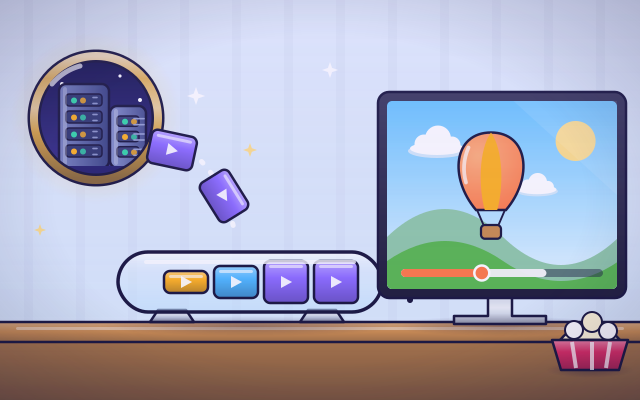
How does streaming video reach a screen?
Fill a playback buffer and explore what happens when incoming data slows.
#332
Computers & communication
How does streaming video reach a screen?
Fill a playback buffer and explore what happens when incoming data slows.
 #333
Computers & communication
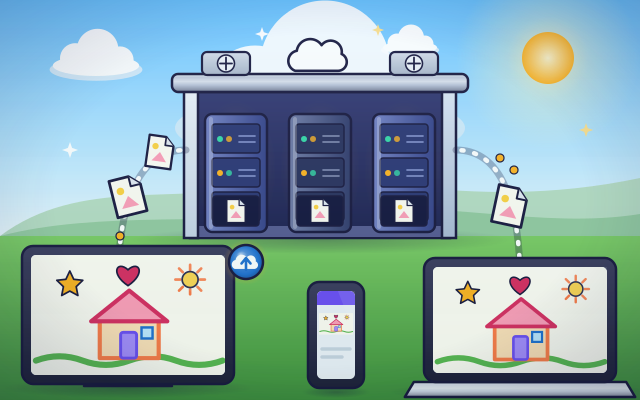
How does cloud storage keep files available?
Save a drawing remotely and retrieve it from different virtual devices.
#333
Computers & communication
How does cloud storage keep files available?
Save a drawing remotely and retrieve it from different virtual devices.
 #334
Computers & communication
How do backups recover lost files?
Save copies, change a pretend folder, and restore an earlier version.
#334
Computers & communication
How do backups recover lost files?
Save copies, change a pretend folder, and restore an earlier version.
 #335
Computers & communication
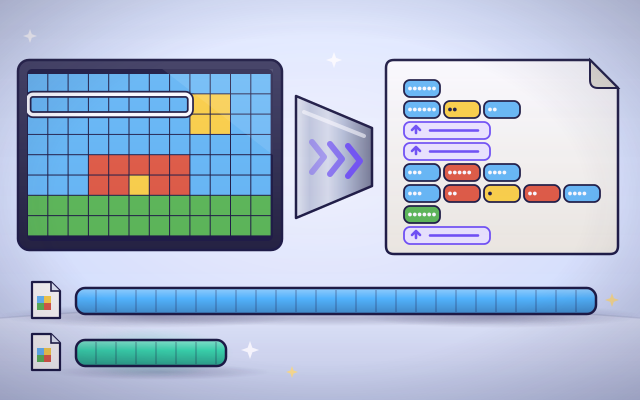
How does file compression make files smaller?
Replace repeated patterns with shorter descriptions and compare file sizes.
#335
Computers & communication
How does file compression make files smaller?
Replace repeated patterns with shorter descriptions and compare file sizes.
Keep exploring
Games to play next
- Mini-Game StudioMake a tiny game with rule blocks, test-play it, and share it once it can be won.
- Animation DeskDraw frames, turn on onion skin and play your animation.
- Robot RoutesSnap together arrow, repeat and dance blocks to guide Bolt the robot home.
Guide for grown-ups
- How to start homeschooling: a step-by-step guide for familiesA guide for parents · 7 min read
Coding games by grade
Computer skills worksheets by grade
- Preschool Computer Skills Worksheets
- Pre-K Computer Skills Worksheets
- Kindergarten Computer Skills Worksheets
- 1st Grade Computer Skills Worksheets
- 2nd Grade Computer Skills Worksheets
- 3rd Grade Computer Skills Worksheets
- 4th Grade Computer Skills Worksheets
- 5th Grade Computer Skills Worksheets
- 6th Grade Computer Skills Worksheets
- 7th Grade Computer Skills Worksheets
- 8th Grade Computer Skills Worksheets