How does Wi-Fi connect devices?
Wi-Fi sends messages through the air as invisible radio waves between a router and your devices.
The big idea: A Wi-Fi router turns messages into radio waves that spread through your home. Your device catches the waves, reads the message and sends an answer back. The farther away you are, and the more walls in the way, the weaker the signal gets.
It's like
The interactive parts didn't load. The explanations below still work; try reloading the page.
How a message flies through the air
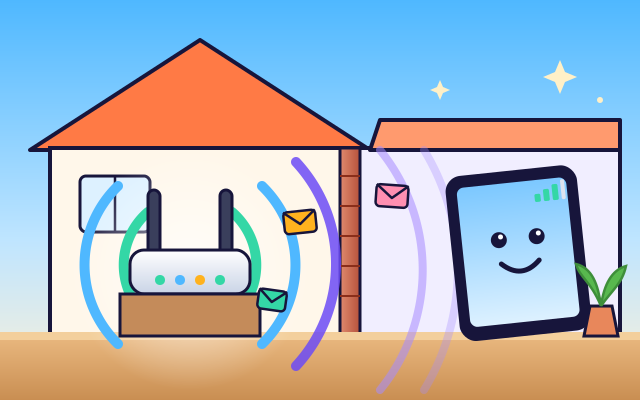
- This box is a router. A cable connects it to the internet, and it shares that connection with every device in the home, with no wires at all.
- The router's antennas send out radio waves. They are a kind of light our eyes can't see, and they spread through the house at the speed of light.
- A message is turned into ones and zeros and chopped into small parts called packets. The router changes the waves in a special pattern to carry each packet.
- The tablet puts the packets back together and sends a quick reply: got it! If a packet goes missing, the router simply sends it again.
- Waves spread out as they travel, like ripples getting smaller. Walk far from the router and the signal gets weaker, so the bars on your screen drop.
- Walls soak up some of the waves. Wood lets most through, brick blocks more, and metal, like a fridge, blocks a lot. A router in the middle of a home reaches every room best.
Inside a Wi-Fi router
Tap each part of the router and the tablet. Watch what it does!
- Antennas. The antennas turn electrical signals into radio waves and catch the waves that come back from your devices.
- Radio chip. The radio chip turns ones and zeros into wave patterns, and turns the waves it catches back into ones and zeros.
- Processor. The processor reads the address on each packet and sends it to the right device, like a post office.
- Internet cable. A cable connects the router to the internet. Messages from websites and games travel in through this cable.
- Status lights. The lights show that the router has power, is connected to the internet and is sending data. They blink when packets go by.
- Power. A small power adapter gives the router low-voltage electricity. The router uses about as much power as a small light bulb.
- Tablet's Wi-Fi chip. Your tablet has a tiny antenna and a Wi-Fi chip inside. It catches the router's waves and sends its own replies.
- Radio waves. Radio waves are invisible light. They pass through air, wood and glass, but metal and water block them.
Signal hunt: distance and walls
Drag the tablet or pick a place. Watch the bars and send a message. What happens when you go far away or behind a wall?
Experiment: What happens to the Wi-Fi signal when a wall or a fridge is in the way?
- Put the tablet in the same room as the router and send a message.
- Move it into the next room, behind a wall, and send again.
- Try the far bedroom and behind the fridge. Watch the bars.
What we found: Walls soak up some of the radio waves, so the signal gets weaker behind them. Wood takes a little, brick takes more, and the metal fridge blocks most of it. Distance weakens the signal too.
Turn on JavaScript to try it yourself.
Wi-Fi for every room
Move the router so the TV, tablet, laptop and speaker all get a good signal: 3 bars or more. Then press Test Wi-Fi.
Radio messages in your home
Wi-Fi uses radio waves, the same kind of invisible waves that carry radio stations, but at a much higher frequency. Radio waves are a kind of light. They travel at the speed of light and can pass through many things that block the light we see, like wooden doors.
Everything a computer sends is made of ones and zeros. Wi-Fi chops a message into small packets and carries each one by changing the pattern of the waves. Your device catches the waves, reads the pattern and turns it back into ones and zeros.
Wi-Fi is a two-way conversation. When your tablet gets a packet, it answers: got it! If a packet gets lost because the signal is weak, the router sends it again. Lots of lost packets make videos stop and buffer.
The signal gets weaker when you go farther from the router, because the waves spread out, and when walls, metal or water are in the way. That's why the best place for a router is high up, in the middle of the home, away from big metal things.
Key words
- Router
- The box that links your home devices to each other and to the internet.
- Radio wave
- An invisible kind of light that can carry messages.
- Packet
- A small piece of a message, sent on its own.
- Signal strength
- How strong the waves are when they reach your device. More bars means stronger.
- Frequency
- How many times the wave wiggles each second.
Check your thinking
-
What carries Wi-Fi messages from the router to your tablet?
Show the answer
Radio waves. Radio waves are invisible light that can carry messages through the air.
-
Which spot usually has the strongest Wi-Fi signal?
Show the answer
In the same room as the router. Close by, with no walls in the way, the waves have spread out least.
-
Which of these blocks Wi-Fi the most?
Show the answer
A metal fridge. Metal reflects radio waves, so very little gets through.
-
What happens when a packet gets lost?
Show the answer
The router sends it again. If no got it! reply comes back, the router sends the packet again.
-
A signal drops from -50 dBm to -70 dBm. How much less power arrives?
Show the answer
100 times less. 20 dB is two steps of 10 dB, and each step is 10 times less power: 10 × 10 = 100.
-
Where is the best place for a router in a home?
Show the answer
High up, near the middle of the home. From the middle, the waves travel a short way to every room, through fewer walls.
You're a Computers & communication expert!
You watched, looked inside, tried it, solved the challenge and went deeper. Pick another question below, or switch the age at the top to see this topic another way.
More about computers & communication
 #56
Computers & communication
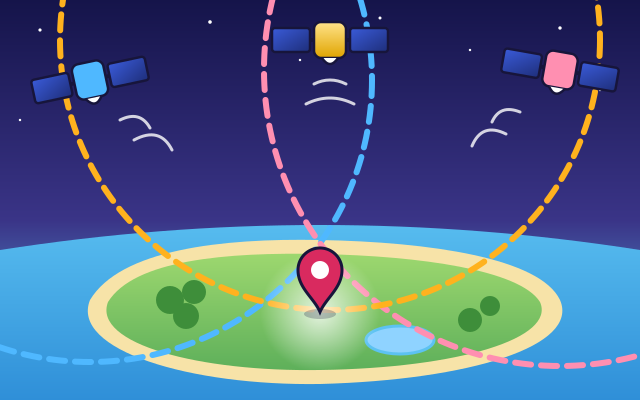
How does GPS know where you are?
Compare signals from several satellites and watch a receiver calculate its position. Explore how signal timing helps locate a moving character.
#56
Computers & communication
How does GPS know where you are?
Compare signals from several satellites and watch a receiver calculate its position. Explore how signal timing helps locate a moving character.
 #57
Computers & communication
How does a printer make colorful pictures?
Look inside an inkjet printer and build a picture from tiny cyan, magenta, yellow, and black dots. Switch colors on and off to compare results.
#57
Computers & communication
How does a printer make colorful pictures?
Look inside an inkjet printer and build a picture from tiny cyan, magenta, yellow, and black dots. Switch colors on and off to compare results.
 #58
Computers & communication
How do microphones and speakers work?
Watch sound vibrations become an electrical signal and turn back into vibrations. Compare quiet, loud, low-pitched, and high-pitched sounds.
#58
Computers & communication
How do microphones and speakers work?
Watch sound vibrations become an electrical signal and turn back into vibrations. Compare quiet, loud, low-pitched, and high-pitched sounds.
 #326
Computers & communication
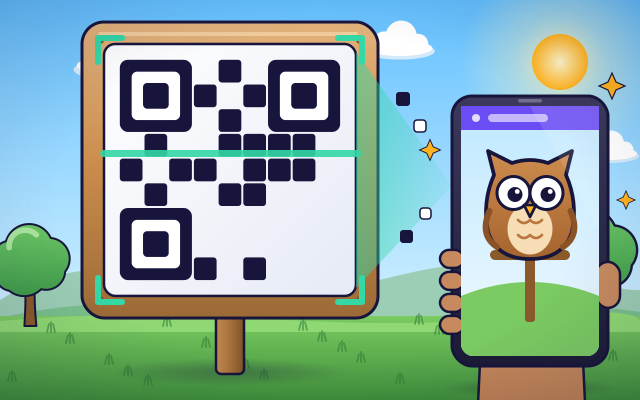
How do QR codes store information?
Encode a short message into a square pattern and decode it onscreen.
#326
Computers & communication
How do QR codes store information?
Encode a short message into a square pattern and decode it onscreen.
Keep exploring
Games to play next
- Robot RoutesSnap together arrow, repeat and dance blocks to guide Bolt the robot home.
- Bug DetectiveA robot program almost works. Run it, spot the buggy block, and fix it.
- Safe Message DetectiveRead made-up messages, pop-ups and posts, spot the clues, and choose the safe, kind thing to do.
Guide for grown-ups
- How to start homeschooling: a step-by-step guide for familiesA guide for parents · 7 min read
Coding games by grade
Computer skills worksheets by grade
- Preschool Computer Skills Worksheets
- Pre-K Computer Skills Worksheets
- Kindergarten Computer Skills Worksheets
- 1st Grade Computer Skills Worksheets
- 2nd Grade Computer Skills Worksheets
- 3rd Grade Computer Skills Worksheets
- 4th Grade Computer Skills Worksheets
- 5th Grade Computer Skills Worksheets
- 6th Grade Computer Skills Worksheets
- 7th Grade Computer Skills Worksheets
- 8th Grade Computer Skills Worksheets